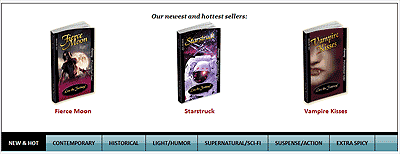
Below are images of/links to working samples of different types of sliders, each of which is configured differently. On each page, above the slider, I've described the features available on that particular sample. I've tried to mix and match the different features to show you how flexible the system is. Features include:
- Single or multiple books per panel
- Very basic styling or fancy buttons
- Different placement of the links to the panels (left, right, top, bottom)
- Automatic slideshow starting on pageload or no slideshow or slideshow available for user to start or stop
- Different styles of navigation (e.g. back/next buttons, VCR buttons, text, paginator numbers), which can all be mixed/matched
- Fixed height / fluid height (in other words, what happens with panels of differing heights? Fixed height will result in scroll bars, a fluid height will result in the panels growing and shrinking in size)
- Different style of "sliding" animation -- options include no animation (which I haven't used), a glide, or a glide w/gradual stop
NOTE: You can navigate to the different samples using the menu on the top of each page.
1. INDIVIDUAL BOOK PANELS IN A BASIC STYLE W/PAGINATOR
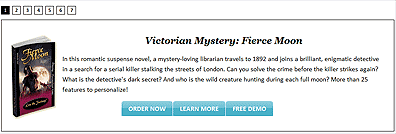
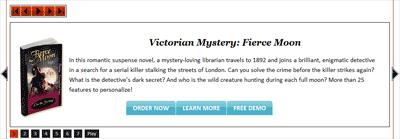
2. INDIVIDUAL BOOK PANELS W/ARROW NAVIGATION

3. INDIVIDUAL BOOK PANELS W/ARROWS & VCR BUTTONS
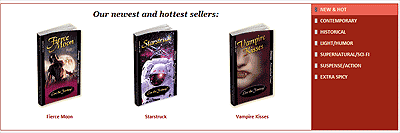
4. MULTI BOOKS / LEFT CATEGORY LINKS / FIXED HEIGHT

5. MULTI BOOKS / RIGHT CATEGORY LINKS / FLUID HEIGHT
6. MULTI BOOKS / TOP CATEGORY LINKS / MOUSEOVER TRIGGERS
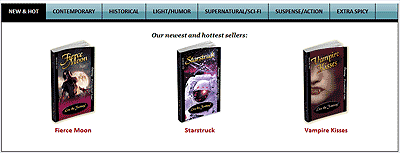
7. MULTI BOOKS / BOTTOM CATEGORY LINKS / CLICK TRIGGERS